Shelly
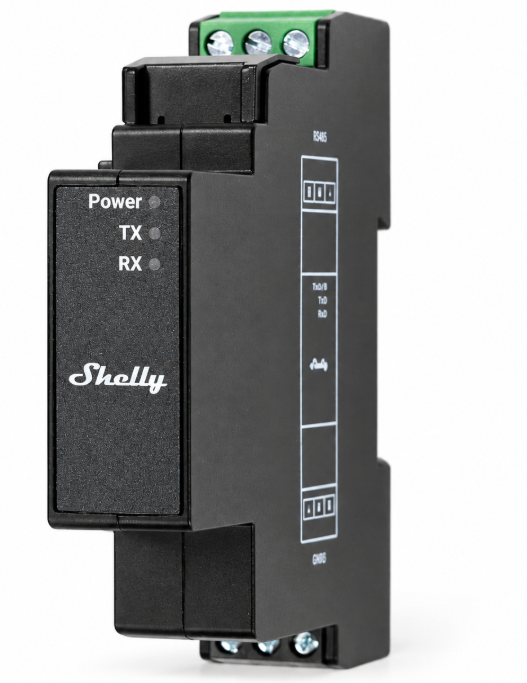
Shelly Pro Modbus Add-on RS485
Shelly Pro Modbus Add-on RS485
Couldn't load pickup availability
- We use Australia Post Carbon Neutral Shipping: 2-5 Days $9.99, 1-3 Days $15 or StarTrack Premium $20
- Order before Midday and we Dispatch the same day
- Found a Cheaper Price we will Match it
Shelly Pro Modbus RS485 Add-on | Smart Building Automation
Connect your Shelly Pro devices to professional automation and energy management systems with the Shelly Pro Modbus Add-on RS485. This compact expansion module adds wired RS485 communication to compatible Shelly Pro devices, enabling integration with Building Management Systems (BMS), Energy Management Systems (EMS), SCADA platforms and other Modbus-compatible equipment.
Designed for reliable communication in electrically demanding environments, it is suited to commercial buildings, large residential installations, industrial monitoring and renewable energy projects.
Key Features
- Direct expansion-port connection: Attaches to a compatible Shelly Pro device for a compact installation.
- Modbus client mode: Enables the host device to read data from compatible external meters and controllers, with a JavaScript interface and controller functionality.
- Modbus server mode: Makes measurements and states from supported host-device components available to other systems.
- Multi-device RS485 networks: Supports half-duplex communication with up to 32 nodes on the bus.
- Wired connectivity: Provides a stable communication interface for building automation and monitoring installations.
- DIN rail mounting: Fits into professional electrical and automation enclosures.
- Status indicators: RX and TX LEDs show data activity, while a red power indicator confirms the module is powered.
Compatible Shelly Devices
- Shelly Pro EM-50
- Shelly Pro 3EM (120 A)
- Shelly Pro 3EM 400
- Shelly Pro 1
- Shelly Pro 2
A compatible Shelly Pro host device is required. The add-on expands the host’s communication capabilities; available measurements and control functions depend on the host model.
Applications
- Energy monitoring: Transfer measurements from compatible Shelly Pro energy meters to BMS, EMS or SCADA systems for consumption tracking and analysis.
- Building automation: Connect supported Shelly Pro devices to controllers managing lighting, electrical loads and building equipment.
- Industrial automation: Exchange data with compatible PLCs, motor controllers and gateways in workshops and production facilities.
- Renewable energy: Integrate with compatible solar inverters, battery-system controllers and energy gateways using Modbus over RS485.
- HVAC integration: Exchange operational data with compatible HVAC equipment and connect auxiliary equipment to building automation systems.
Integration requires compatible Modbus functions, register mappings and communication settings on the connected equipment.
Technical Specifications
| Communication | Modbus over RS485 |
|---|---|
| Operating modes | Modbus client or Modbus server |
| RS485 interface | A, B and GND terminals |
| Bus operation | Half-duplex |
| Number of nodes | Up to 32 |
| Power supply specification | 3.3 V DC, 12 V DC |
| Power consumption | Less than 1 W |
| Dimensions (H × W × D) | 94 × 19 × 69 mm |
| Weight | 48 g |
| Mounting | DIN rail; Shelly proprietary serial expansion interface |
| Housing | Black plastic |
| Connector colours | Black and green |
| Operating temperature | -20°C to 40°C |
| Operating humidity | 30–70% RH |
| Maximum altitude | 2,000 m |
| Conductor cross-section | 0.3–2.0 mm² |
| Conductor stripped length | 6–8 mm |
| Maximum terminal tightening torque | 0.4 Nm |
Installation and Setup
Connect the add-on to the expansion port of a supported Shelly Pro device and wire the RS485 bus using the A, B and GND terminals according to the manufacturer’s installation guide. Configure the operating mode and communication settings to match your system.
Installation within mains electrical enclosures should be completed by a licensed electrician. Follow the manufacturer’s instructions for power connections, bus wiring and network configuration.